Configuration
Everything except the three secrets below is set in the admin UI and stored in the database. This page covers what each setting does, how alerts are routed and what changed between releases.
Three things stay in the environment, because they protect everything else:
| Variable | What it is |
|---|---|
ADMIN_TOKEN |
Signs in to /admin and its API |
WEBHOOK_SHARED_SECRET |
What UniFi Alarm Manager sends with each sensor event |
SECRETS_KEY |
32 bytes, base64 (openssl rand -base64 32). Encrypts the credentials stored in the database |
Plus the runtime basics: PORT, DATABASE_PATH, LOG_LEVEL and UPDATE_CHECK_REPO. See .env.example.
Everything else is set in the admin UI (Settings, or the first-run wizard) and stored in the database:
- UniFi console: console URL, Protect API key, default camera, cameras link for alerts, go2rtc URL, the optional SuperAdmin account, the console CA certificate or "skip certificate check", the live-view URL template. "Test connection" checks the API key, the SuperAdmin account and go2rtc, and says why one failed.
- Notifications: the alert timezone, then one card per channel: Slack (webhook, optional bot token and channel for snapshots), ntfy (server and topic), Telegram (bot token and chat id) and Signal (API URL, sender number, recipients). Each card has an enabled switch, checkboxes for the alert types it receives (Alarm, Duress, Health) and its own "Send test alert" button that says why it failed.
- Kiosk panel: help text at the bottom of the kiosk, sounds on or off, quiet hours, weather location.
Credentials (API key, SuperAdmin password, Slack webhook and token, Telegram bot token) are encrypted with SECRETS_KEY (AES-256-GCM) and never returned by any API: the UI only shows whether each is set. Keep a copy of SECRETS_KEY. Without it, stored credentials can't be read and have to be re-entered. Database backups hold the encrypted values only.
A save applies without a restart: the Protect client, the notifier and the realtime stream rebuild on their next use.
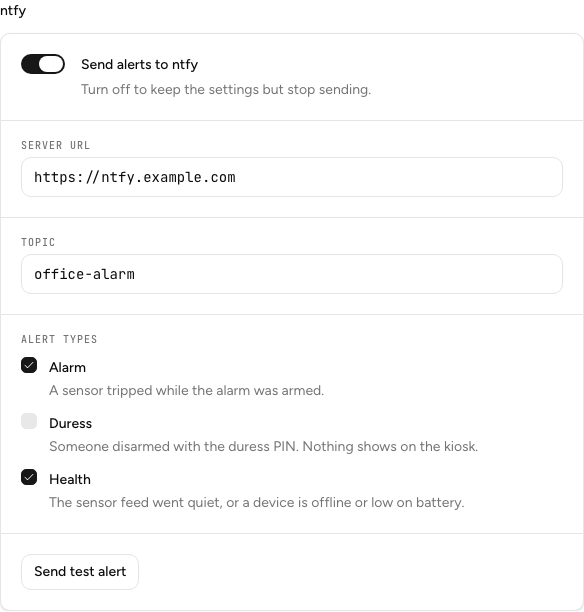
Channels and routing: each channel receives the alert types ticked on its card. An untouched channel receives all three, so the defaults match v1.1.0. Send Duress only where someone should act on it: it goes to no other channel, and nothing shows on the kiosk. A channel that is switched off, or has no alert type ticked, sends nothing, and "Send test alert" still works on it. Telegram and Signal send the snapshot with the alert; if the image fails, the text goes out alone. Signal runs through your own signal-cli-rest-api container, see docs/SIGNAL.md.
Outbound calls: LAN-only by design, no telemetry. The app calls Slack and ntfy if you set them up, the UniFi console, GitHub for the update check, Open-Meteo for the kiosk weather (through the server, with a cache), and api.telegram.org only if you set up Telegram. The app talks to Signal only through the container on your network (the container itself reaches Signal's servers), so no Signal host is added to the app's outbound list.
Upgrading to v1.2.0: nothing to do. Your Slack and ntfy settings keep their names and values, no database migration runs, and every channel keeps receiving all three alert types until you change it. New installs can seed Telegram and Signal from TELEGRAM_BOT_TOKEN, TELEGRAM_CHAT_ID, SIGNAL_API_URL, SIGNAL_NUMBER and SIGNAL_RECIPIENTS (see below). An existing install has already seeded, so it sets them in Settings instead. This release also fixes ntfy pushes for alarms that name a sensor, which v1.1.0 failed to send.
Upgrading from an env-only setup: on first boot, any of the old variables still in the environment (PROTECT_API_BASE_URL, PROTECT_API_KEY, SLACK_WEBHOOK_URL, TELEGRAM_BOT_TOKEN, SIGNAL_API_URL, PANEL_WEATHER_LAT, ...) are copied into the database once. After that the database wins and those variables are ignored. Set SECRETS_KEY before that boot so credentials can be imported.
Advanced config keys
The admin Settings screen has a typed "Security" section for the PIN, admin-token and webhook-secret lockout: rateLimitMaxAttempts (default 5), rateLimitWindowSec (300, failures older than this stop counting) and rateLimitLockoutSec (300). An "Advanced" table lists every other config row, so any key below is editable there or through PUT /api/admin/config.
webhookSensorIdPath/webhookEventTypePath: howPOST /api/hooks/sensorreads a nonstandard payload.cameraTriggerEventTypes: comma-separated event types (e.g.motion) meaning the device UniFi named is the camera itself, not a sensor. The device self-maps to its own camera id. Unset by default, since it depends on what your console sends.sensorOpenEventTypes/sensorClosedEventTypes: comma-separated event types meaning a door just opened or closed. They drive a sensor'scurrent_state. Unset by default. Until they hold real values from your console,current_statestaysNULLand the door check does nothing.sirenAlarmManagerWebhookId: id of an Alarm Manager inbound webhook automation (Alarm Manager → Automations → "Receive a webhook"), for example a PoE siren. This app POSTs to it once, only when the state machine reachesALARM, never on a duress disarm. A failed trigger is logged and never blocks the alerts.defaultSensorMode: the mode (delayed/instant/ignore) a sensor gets the first time it appears. Defaults todelayed, so an unknown sensor starts the entry delay instead of alarming at once. Usedelayedfor doors and motion sensors people legitimately pass through, andinstantfor windows, tamper and irregular access points nobody should use while armed.externalArmSyncDelaySec: the short countdown used when arming is detected through the console sync (default 5). See docs/UNIFI.md.
Door check on arming
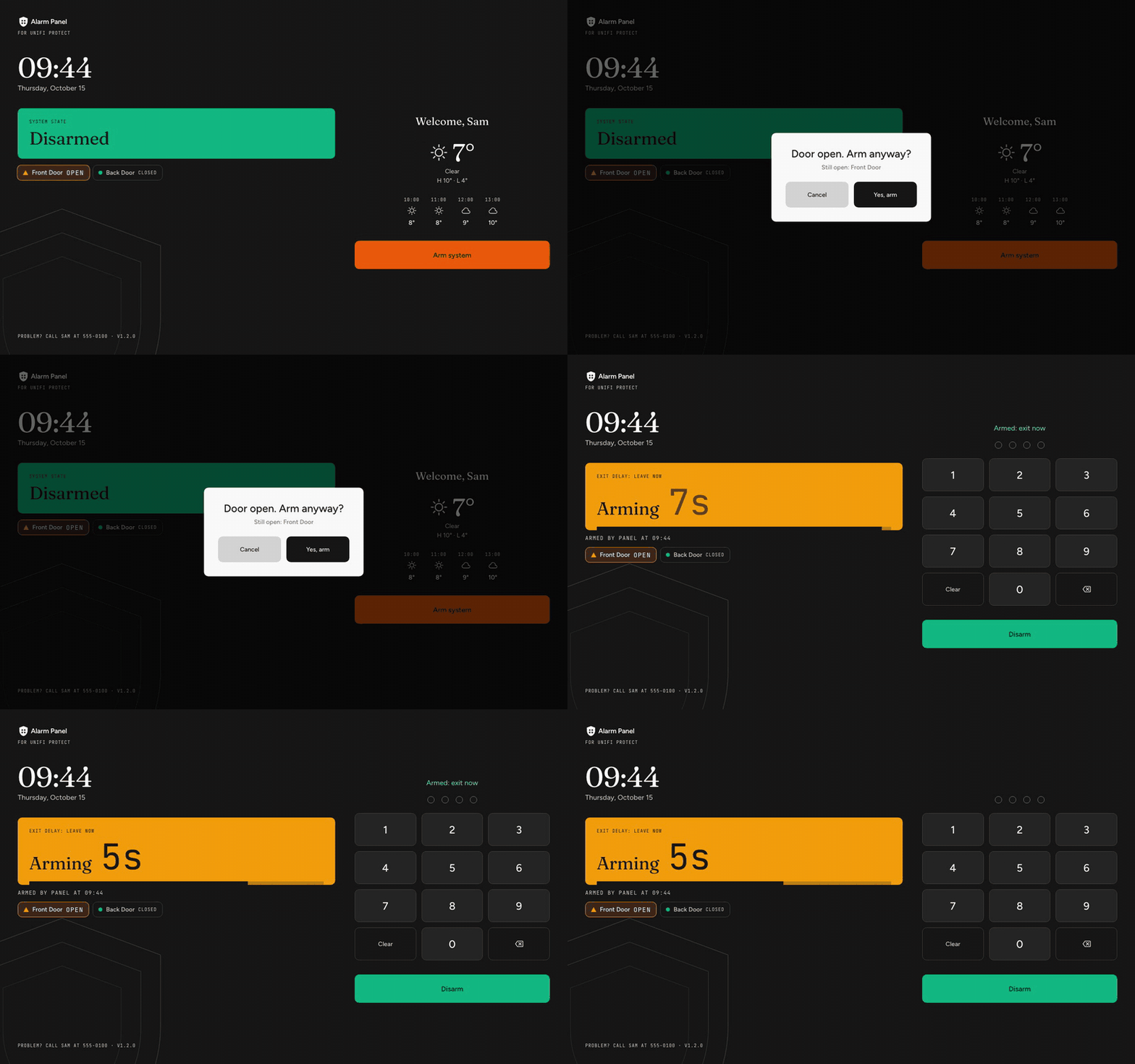
Arming (from the panel or admin) is blocked while any sensor with sensorType: "door" and a mode other than ignore is open, per its current_state. The response names the open sensors. Submitting again sends force: true, which arms anyway and logs arm_forced_with_sensors_open (a normal block logs arm_rejected_sensors_open).
A door sensor tripping during the exit delay plays a distinct chime on the panel. Motion sensors don't. The console sync is not gated by this check.
Panel sound
The kiosk plays short WAVs from public/sounds/. They are rendered by python3 scripts/generate-sounds.py, and docs/sounds/index.html is the page used to pick them. Events: key and backspace, arm confirmed, exit-delay beat, door-open chime, armed, arm refused, entry-delay beat, disarm success, wrong PIN, lockout, and the looping alarm. Both countdown beats run once a second and double up near the end (last 5s of the exit delay, last 10s of the entry delay). A door opened during the exit delay is named on the panel (armingTripDoors in /api/status). A duress PIN sounds exactly like a normal disarm.
- Kiosk sounds (Settings > Kiosk panel, default on) mutes everything.
- Test mode (Settings, config key
panelTestMode): for a trial period. The alarm runs every normal step (state changes, alerts, snapshots, the UniFi siren webhook) but only the kiosk siren (the looping alarm tone) is muted, every other sound still plays, and a "Test mode — siren off" banner shows. It rides on the 2s/api/statuspoll (testMode), so a toggle lands within seconds and also stops a siren already sounding. The UniFi-side siren still fires. - Quiet hours (Settings > Kiosk panel, default 22 to 6) silence everything in that window, except the alarm. Quiet hours also dim the screen (tap to wake).
- Web Audio stays silent after a page reload until someone taps. With Fully Kiosk's Enable JavaScript Interface (PLUS) on, the alarm plays through
fully.playSoundinstead (looped, no tap needed), and so do the other sounds until the first tap unlocks Web Audio.
PIN lockout
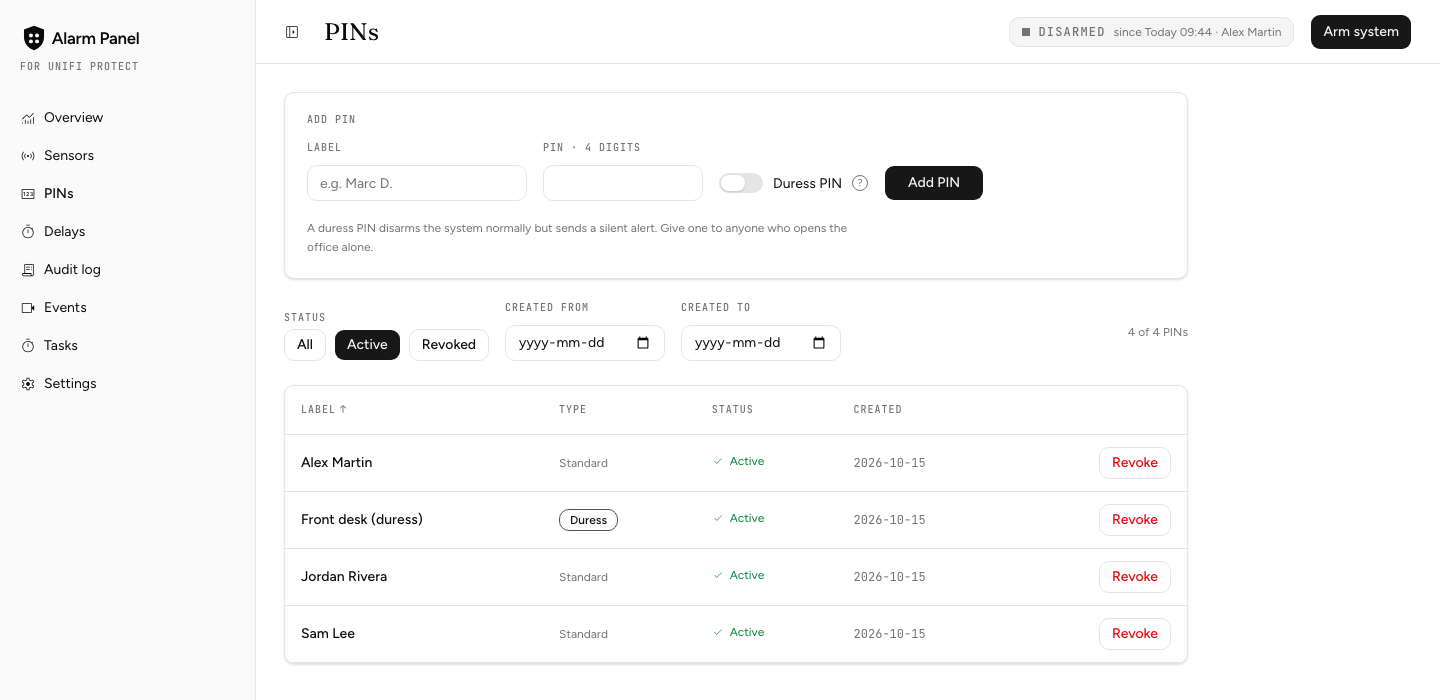
Wrong PINs show the remaining attempts. The count is shared by every device that enters PINs (the kiosk, the admin's disarm dialog, the API), not kept per caller: the caller's address comes from X-Forwarded-For, which a client can forge, so a per-caller count could be dodged by changing that header on every try. A correct PIN doesn't reset the count either; wrong PINs only stop counting after rateLimitWindowSec. The attempt that tips into lockout also raises a real ALARM, whatever the arm state. Repeated wrong PINs at the physical keypad are the one signal here that is alarming on their own. PIN entry auto-submits on the 4th digit.
Kiosk behavior
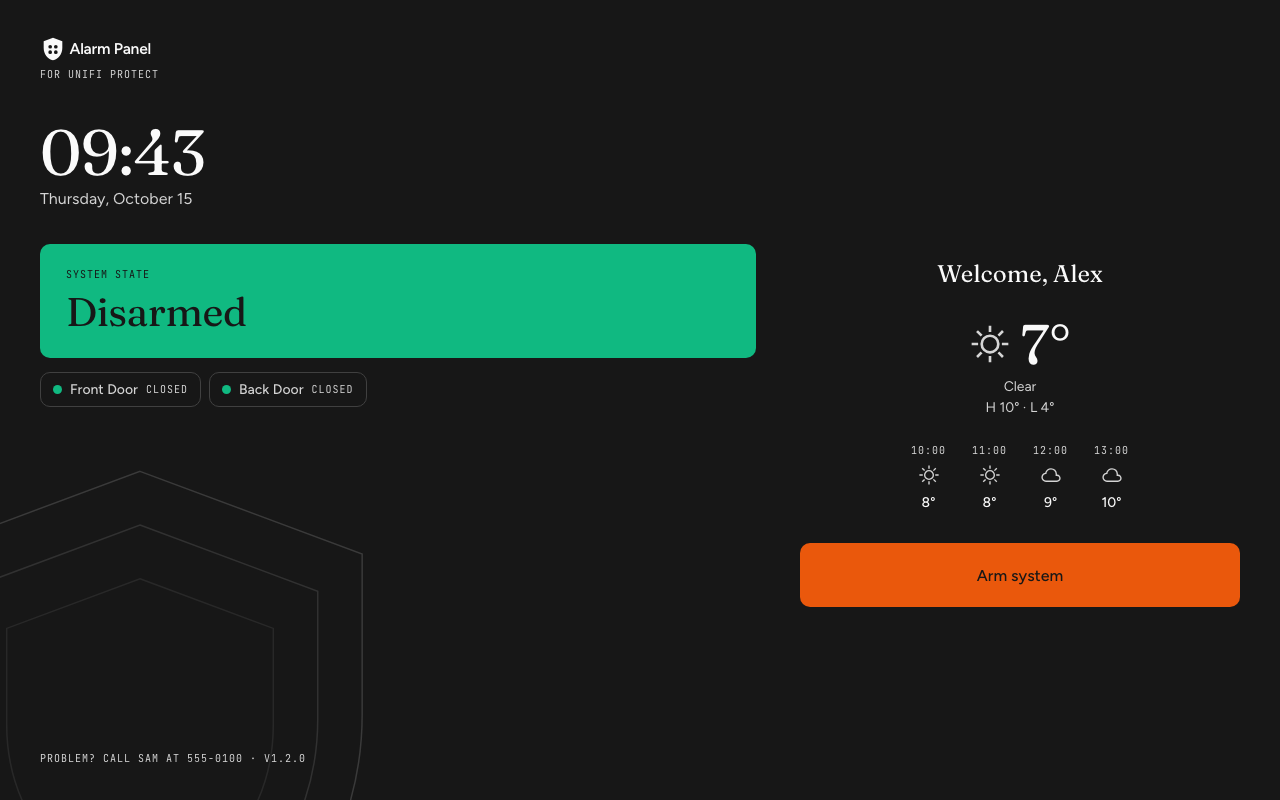
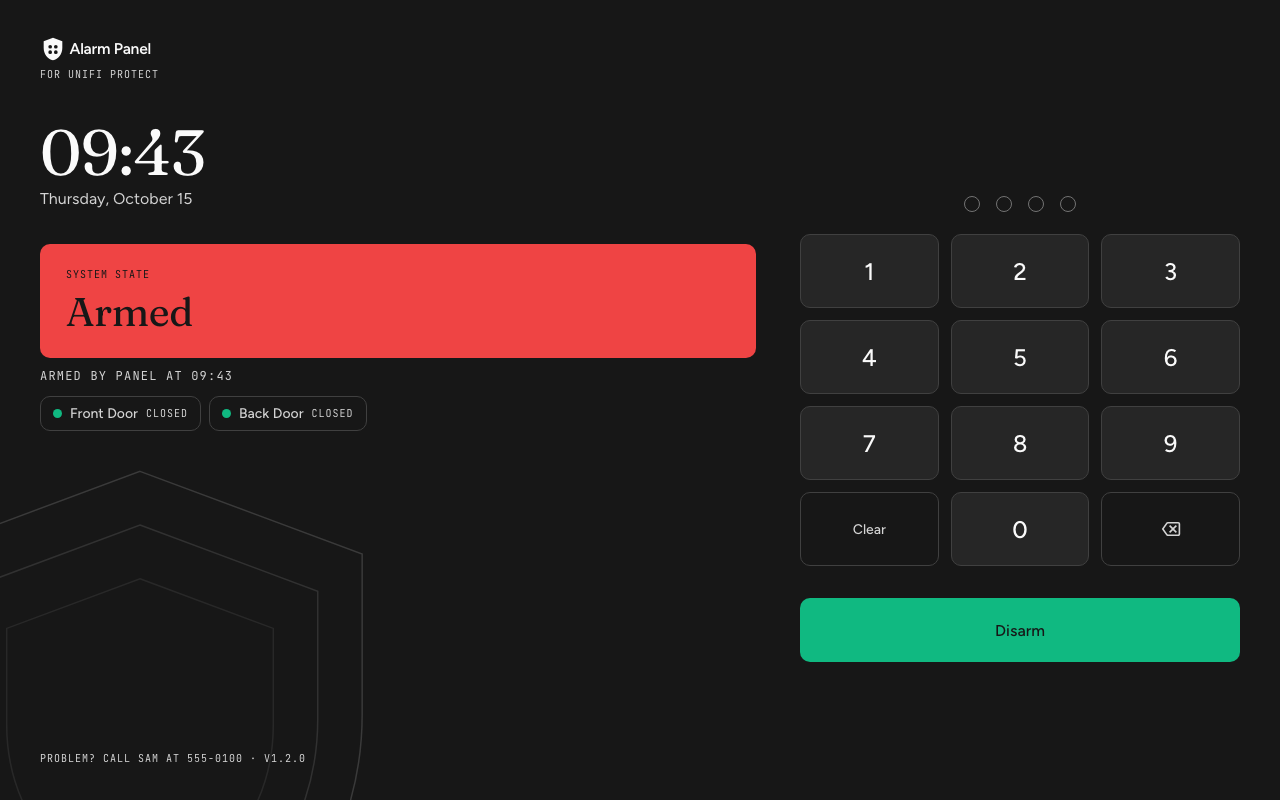
- Door-open check before arming, exit-delay door chime, event sounds, PIN lockout raises
ALARM. - Every non-ignored door is listed under the banner in every state (open ones first, up to 8), plus "Armed by X at HH:MM" while armed (in memory, so blank after a restart).
- The countdown grows and pulses in the last 10s, the dim overlay never covers an entry delay or alarm, a PIN shows "Checking…" while it is verified, the second-to-last wrong PIN warns "LAST TRY", and a failing poll marks the countdown "reconnecting".